Exploration
The Last Caretaker A Place to Land Quest: How to Get the Gyro Deck
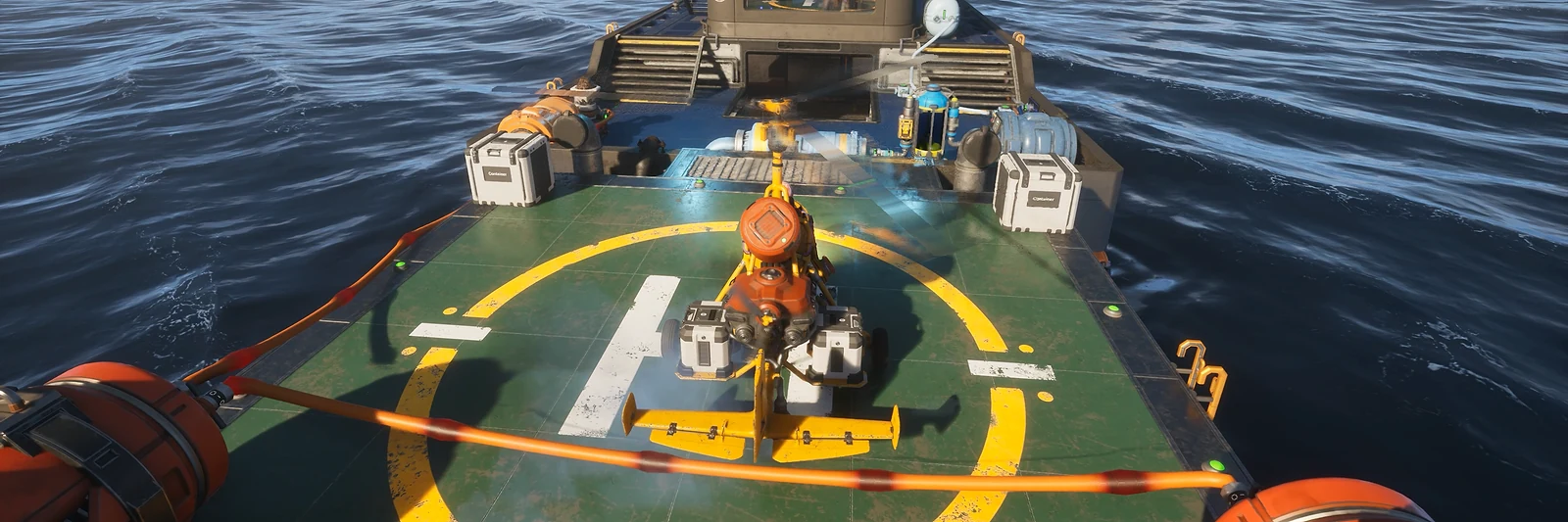
Short answer: A Place to Land gives you the Gyro Deck, a landing pad for the Salvage Gyro on the back of your boat. Go to Sanctuary Dock 12 (88, 27) and scan the helipad blueprint on the back wall of the workshop room with the Recycler and the Fabricator. Then unlock “Boat Extension, Gyro Deck” at skill tier 13, build it from 6 Alloy Frames, and place it with the back of the boat cleared.
Game version: Early Access, Update 6 (October 19, 2026); the quest came with Update 5.0 (June 24, 2026), the deck recipe from the Update 6 game data
Where the Quest Starts
What is A Place to Land?
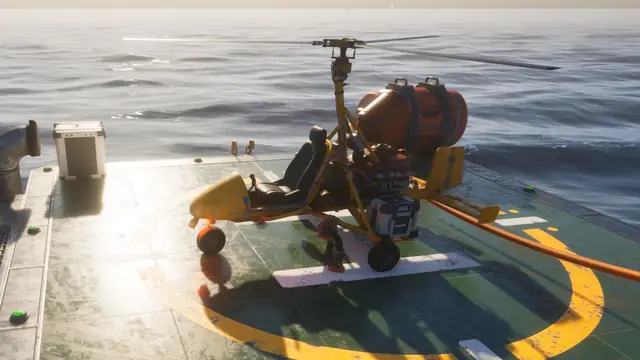
A Place to Land is the quest that gives you the Gyro Deck, a landing pad for the Salvage Gyro on the back of your boat. The quest is finding and scanning one blueprint.
Update 5.0, New Horizons (June 24, 2026), added the Gyro Deck as the first extension for the boat, bringing the Salvage Gyro’s reach to your moving base.
See also: Salvage Gyro guide
Where does A Place to Land start?
Go to Sanctuary Dock 12, at 88, 27 on the in-game map. The blueprint that starts and finishes the quest is inside the dock.
If the dock is not on your map yet, power Navigation Beacon 32.
See also: docks on the map
Step by Step
How do you complete A Place to Land?
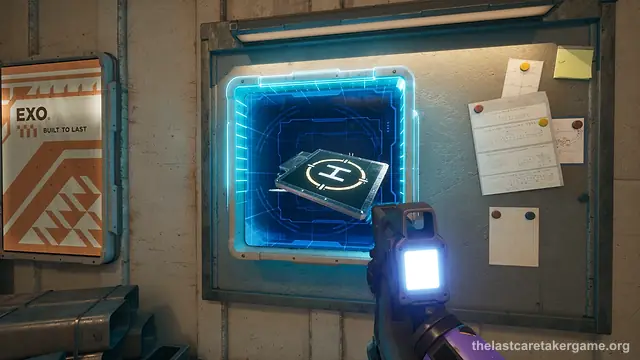
1. Sail to Sanctuary Dock 12 with a light and some ammunition. 2. Go down and climb into the vent; it runs straight to the room you need. 3. Drop out of the vent and clear the enemies inside. 4. Scan the helipad blueprint on the back wall, in the workshop room with the Recycler and the Fabricator. A voice line confirms a rear-mounted pad for the boat, and the quest is done.
See also: combat guide
Where is the Gyro Deck blueprint?
The blueprint hangs on the back wall of the workshop room, the one with a Recycler and a Fabricator in it.
See also: every quest blueprint, with ticks
Unlocking and Building the Gyro Deck
How do you unlock the Gyro Deck?
Next, open the skill tree and unlock “Boat Extension, Gyro Deck” at skill tier 13; look for the icon with an H on it.
The deck takes 6 Alloy Frames and 5 Wh of electricity. Build any missing parts in the Fabricator, then press B and place the deck from the Modules tab of the build menu.
See also: skill tree planner
Placing the Deck on Your Boat
Why won’t the Gyro Deck snap onto the boat?
The deck only snaps on when the very back of the boat is empty. Move cable extenders, cables, connectors and anything at the mooring points first, including things you built under the back of the hull; put them back once the deck is on.
Then stand at the very back of the deck, aim at the railing along the stern and move your view slowly until the outline turns from red to green.
See also: moving cables and extenders
What can you do with the Gyro Deck?
You can build on the deck, on top of it and below it, as well as land the Gyro on it.
Update 5.5 added more Gyrocopter landing pads and Gyro Towers around the world, so the deck on your boat is not the only place to set down.
See also: Gyro pads on the map